

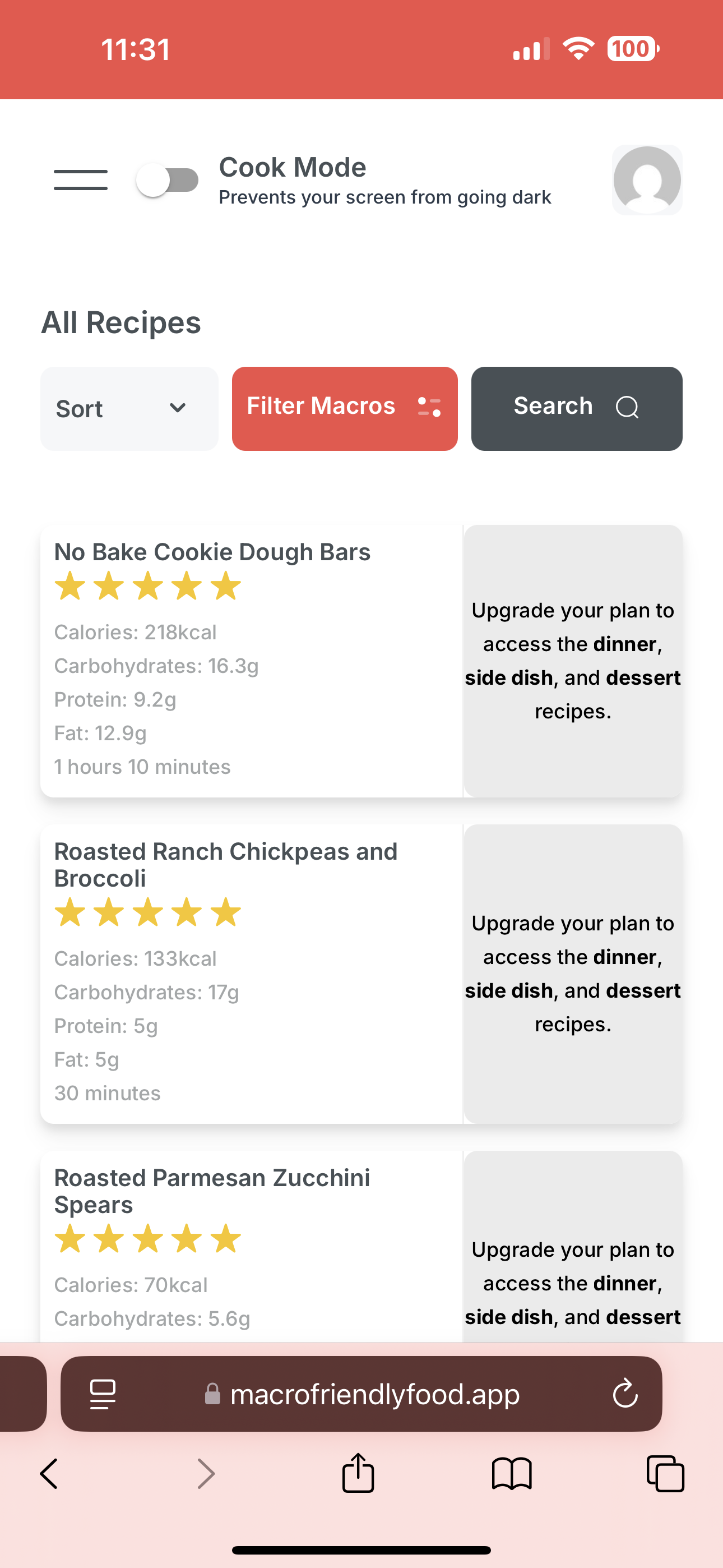
If you’re seeing a message in the Macro Friendly Food app (macrofriendlyfood.app) that says you don’t have an active subscription despite having one, don’t worry—this is a common issue that’s usually easy to resolve! This can happen due to login mismatches, subscription status issues, or payment hiccups. Follow these steps to get back to your recipes.
Step-by-Step Troubleshooting
Check Your Login Credentials
What to Do: Make sure you’re logging into macrofriendlyfood.app with the same email address associated with your subscription on macrofriendlyfood.com.
How: Go to macrofriendlyfood.app, tap “Sign In,” and enter your credentials. If you’re unsure, log in to macrofriendlyfood.com/my-account/ to confirm the email tied to your subscription.
Why: The app requires an account on macrofriendlyfood.com to log in. If you’ve used multiple email addresses (e.g., a personal vs. work email), you might have separate accounts, causing the app to not recognize your subscription.
Verify Your Subscription Status in the App
What to Do: Check your subscription status directly in the app.
How: Go to macrofriendlyfood.app/account-settings, tap on “Subscriptions,” and review the status of your plan (e.g., Active, Pending Cancellation, Cancelled, On Hold).
What to Expect:
Active or Pending Cancellation: You should still be able to access recipes.
Old Macro Friendly Meal Plans Product: You’ll only see dinner, side dish, and dessert recipes.
Old Breakfast, Lunch, and Snack Add-On: You’ll only see breakfast, lunch, and snack recipes.
Note: If you have both the old Macro Friendly Meal Plans and Breakfast, Lunch, Snack add-on, we can upgrade you to the new Recipes & App product for full access—contact support (see below).
Why: Checking in the app lets you confirm your status without needing to visit the website.
Handle Specific Subscription Statuses
Pending Cancellation:
What It Means: Either you or a shop manager/admin cancelled auto-renewals, and the subscription will remain in this status until the end of your billing cycle.
What to Do: You can reactivate it directly in the app. From macrofriendlyfood.app/account-settings > Subscriptions, tap the “Reactivate” button.
Cancelled:
What It Means: Your subscription has fully ended.
What to Do: Sign up again at https://macrofriendlyfood.com/mff-app-recipes/ to restart your subscription.
On Hold:
What It Means: A recent payment failed, pausing your access.
What to Do: Reactivate by completing the payment. Go to macrofriendlyfood.com/my-account/orders, find the order in “Pending Payment” status, tap “Pay,” and follow the checkout process to enter new or correct billing information.
Why: Each status affects your access differently, and resolving it directly addresses the error.
Log Out and Back In
What to Do: Log out of the app, then log back in with your confirmed credentials.
How: In the app, find the logout option (usually under a profile or settings menu), exit, and re-enter your email/password at macrofriendlyfood.app.
Why: This refreshes your session and forces the app to recheck your subscription status.
Still Not Working?
If you’ve tried these steps and the app still says you don’t have a subscription:
Contact Support: Email contact@macrofriendlyfood.com with:
Your account email.
A screenshot of the app error.
A screenshot of your subscription status from macrofriendlyfood.app/account-settings.
Why: The team can manually verify your account, fix backend sync issues, or upgrade you to the new Recipes & App product if you’re on old plans.
Tips to Avoid This in the Future
Add contact@macrofriendlyfood.com to your email contacts to ensure subscription emails (e.g., renewal confirmations) don’t go to spam.
Always use the same email address across the website and app to avoid account mismatches.
Check your subscription status regularly at macrofriendlyfood.app/account-settings to catch issues early.